IMAGE UPSCALER
Enhance image details with AI. Choose 1x to keep the original dimensions, or 2x and 4x to enlarge both width and height.

Before

After 1× enhancement
Including other tools, 3 free uses per day
True 1x, 2x & 4x output
Keep the original dimensions at 1x, or enlarge the width and height by 2x or 4x.
Refine visible details
Refine edges and textures. Results vary.
Compare and download
Review changes in fine details before downloading.
AI IMAGE UPSCALING, EXPLAINED
Increase image resolution while restoring visible detail
An AI image upscaler enlarges an image and reconstructs details that basic resizing can leave soft or pixelated. Fastby AI offers 1x enhancement plus 2x and 4x enlargement for photos, illustrations, product images, and other visual assets.
Choose 1x when you want to refine the existing dimensions, 2x for everyday enlargement, or 4x when you need the largest output. The best result starts with an image whose subject is still recognizable; severe blur or missing detail cannot always be fully recovered.
1x enhancement
Keep the current dimensions while improving the appearance of edges, textures, and details.
2x enlargement
Double the image dimensions for everyday digital use while rebuilding visible detail.
4x enlargement
Quadruple both width and height while refining details for layouts and print preparation.
Choose 1×, 2× or 4× for your needs
The hero compares a detail at 1×. Here, inspect full images and size calculations to decide whether to enhance at the current size or enlarge the image.
1x ENHANCEMENT · ORIGINAL SIZE
Keep the size. Refine the details.
Compare the hair lines, eye contours, and kimono pattern before and after enhancement. At 1x, width and height stay the same, so you can refine an image at its current size.
Image size calculation example
Enhance without changing width or height
- Input
- 1,024 × 768 px
- Output
- 1,024 × 768 px
Width × height. These numbers illustrate the scale, not the dimensions of the sample images.
2x UPSCALE · REFINE DETAILS
2x width and height. Refine the details.
Look at the scooter’s outline, headlight, and paving stones. At 2x, both width and height are doubled. Fine shapes and textures may change, so compare the result with the original.
Image size calculation example
Multiply both width and height by 2
- Input
- 1,024 × 768 px
- Output
- 2,048 × 1,536 px
Width × height. These numbers illustrate the scale, not the dimensions of the sample images.

4x UPSCALE · LARGER IMAGES
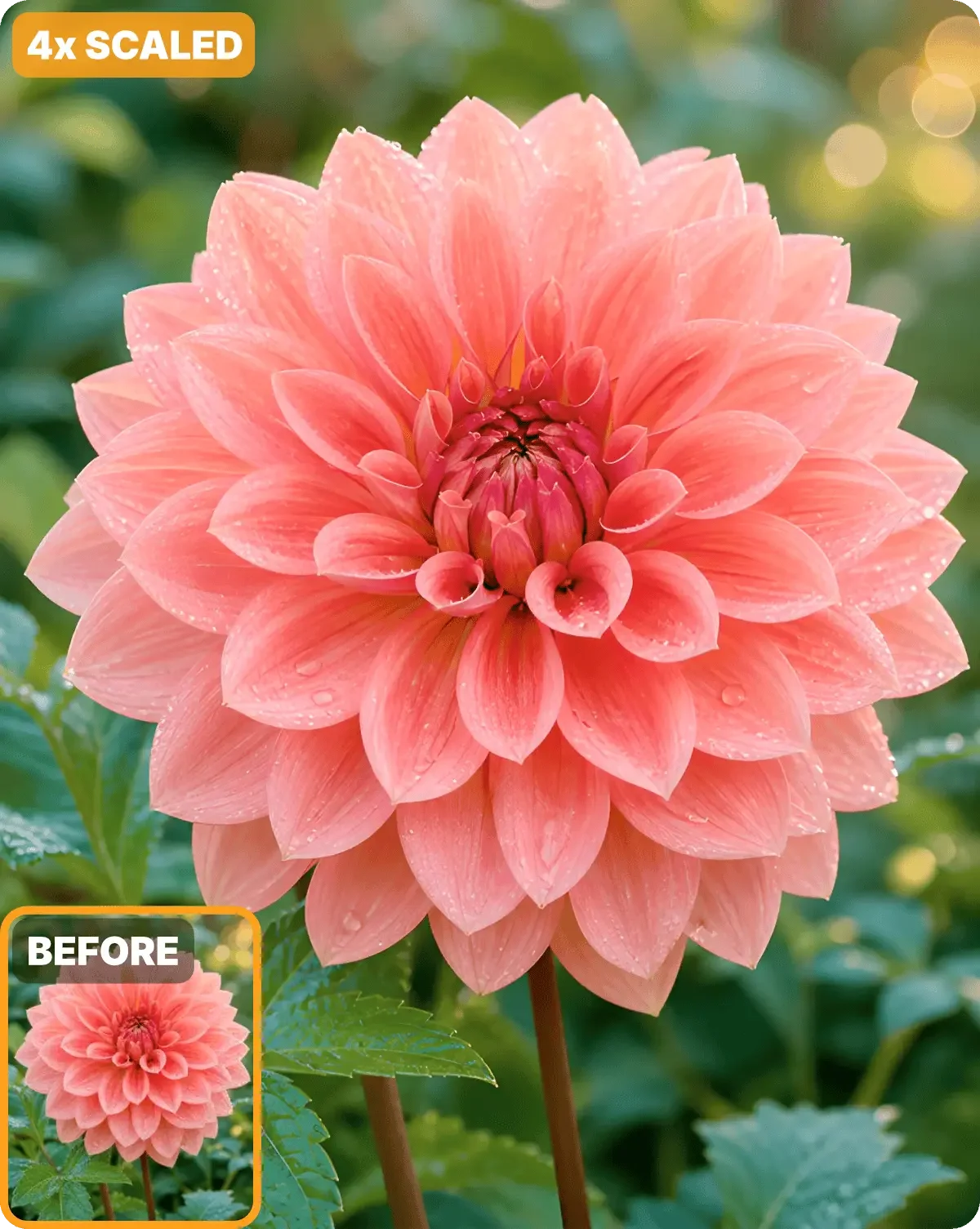
4x width and height. Refine petal details.
Look at the pink petals, water droplets, and leaf textures. At 4x, both width and height are quadrupled. Missing details cannot be reliably recovered; inspect the enlarged result before use.
Image size calculation example
Multiply both width and height by 4
- Input
- 1,024 × 768 px
- Output
- 4,096 × 3,072 px
Width × height. These numbers illustrate the scale, not the dimensions of the sample images.
HOW IT WORKS
Three steps. Maximum resolution.
01
Upload your image
Choose a JPG or PNG image you want to make clearer.
02
Choose 1x, 2x or 4x
Choose 1x to keep the original dimensions, or 2x or 4x for a larger image.
03
Download your image
Compare the result with your original, then download the PNG.
IMAGE UPSCALER FAQ
Questions about enhancing image resolution
What does an AI image upscaler do?
It uses AI to enhance image details, edges, and textures. At 1x, it enhances quality without changing dimensions. At 2x or 4x, it doubles or quadruples both width and height while reconstructing detail.
What is the difference between 1x, 2x, and 4x?
At 1x, quality is enhanced without changing width or height. At 2x or 4x, both width and height are doubled or quadrupled. For example, a 1,024 × 768 px input becomes 2,048 × 1,536 px at 2x or 4,096 × 3,072 px at 4x.
Can AI fix any blurry or pixelated image?
AI can improve many low-resolution images, but it cannot guarantee recovery of details that are completely missing. A recognizable subject and a reasonably clear source produce better results.
Can I use an upscaled image for print?
Upscaling can provide more pixels for print layouts, but final print quality still depends on the source image, required physical size, and the printer's resolution requirements.
RELATED AI IMAGE TOOLS
Continue your image workflow
Move between image generation, transformation, background removal, and enhancement without leaving Fastby AI.
UPSCALE YOUR FIRST IMAGE
Make every pixel count.


@ 2026 piece of cake Inc. All rights reserved.